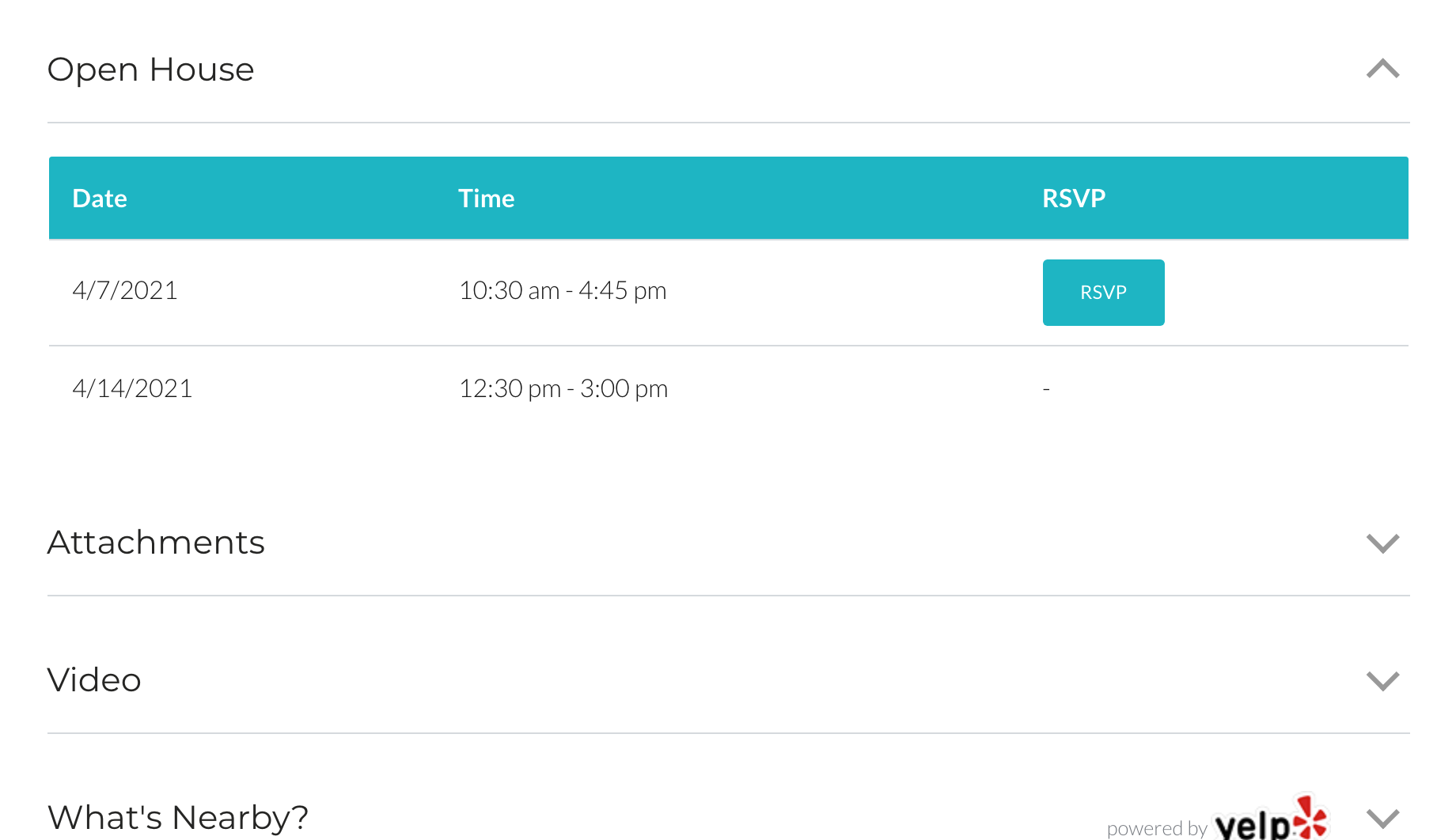
If you’ve enabled the “Open House” module under Real Estate 7 Options > Listings > Listing Single > Content Manager, you’ll then have the ability to display unlimited open house, dates & times along with an optional RSVP button which smooth scrolls to the listing contact area.
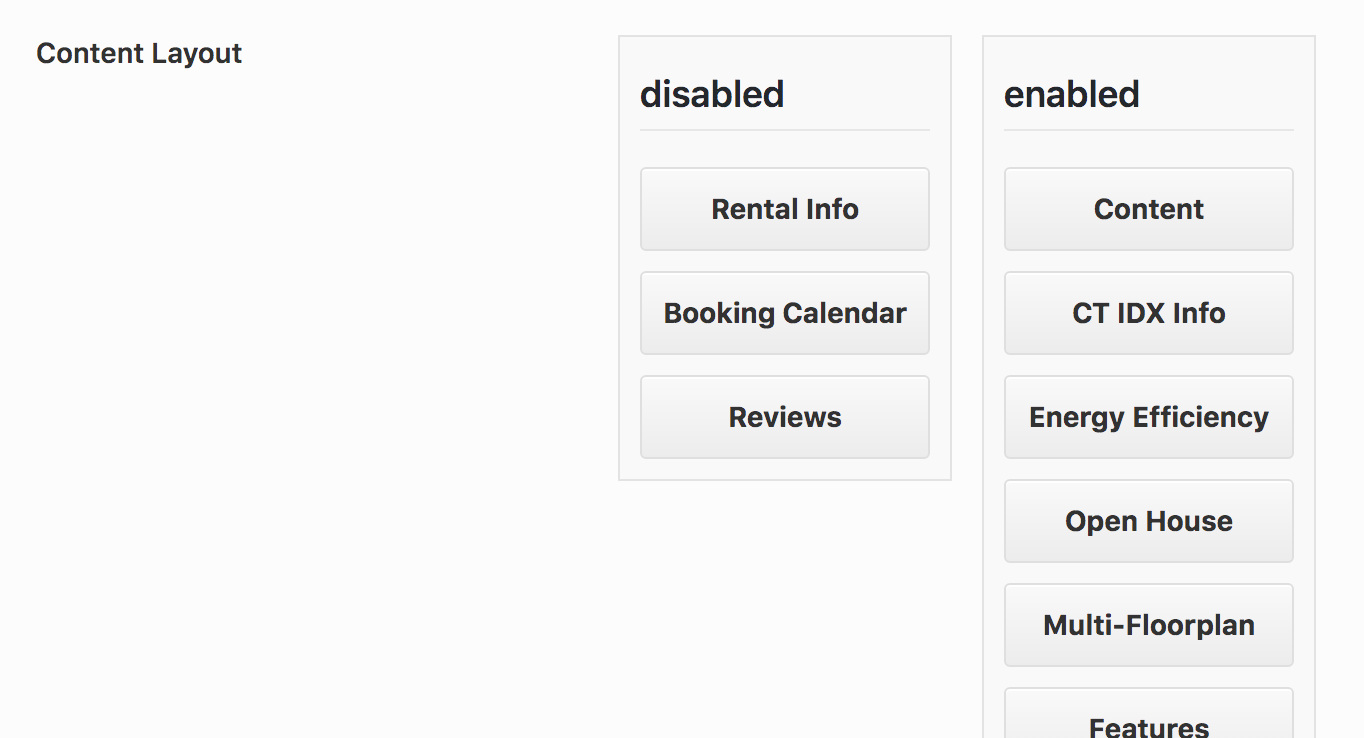
1. Enable the “Open House” block
- Go into the Admin
- Real Estate 7 Options
- Listings
- Listing Single
- Content Manager
- Enable the “Open House” block, place it where you’d like
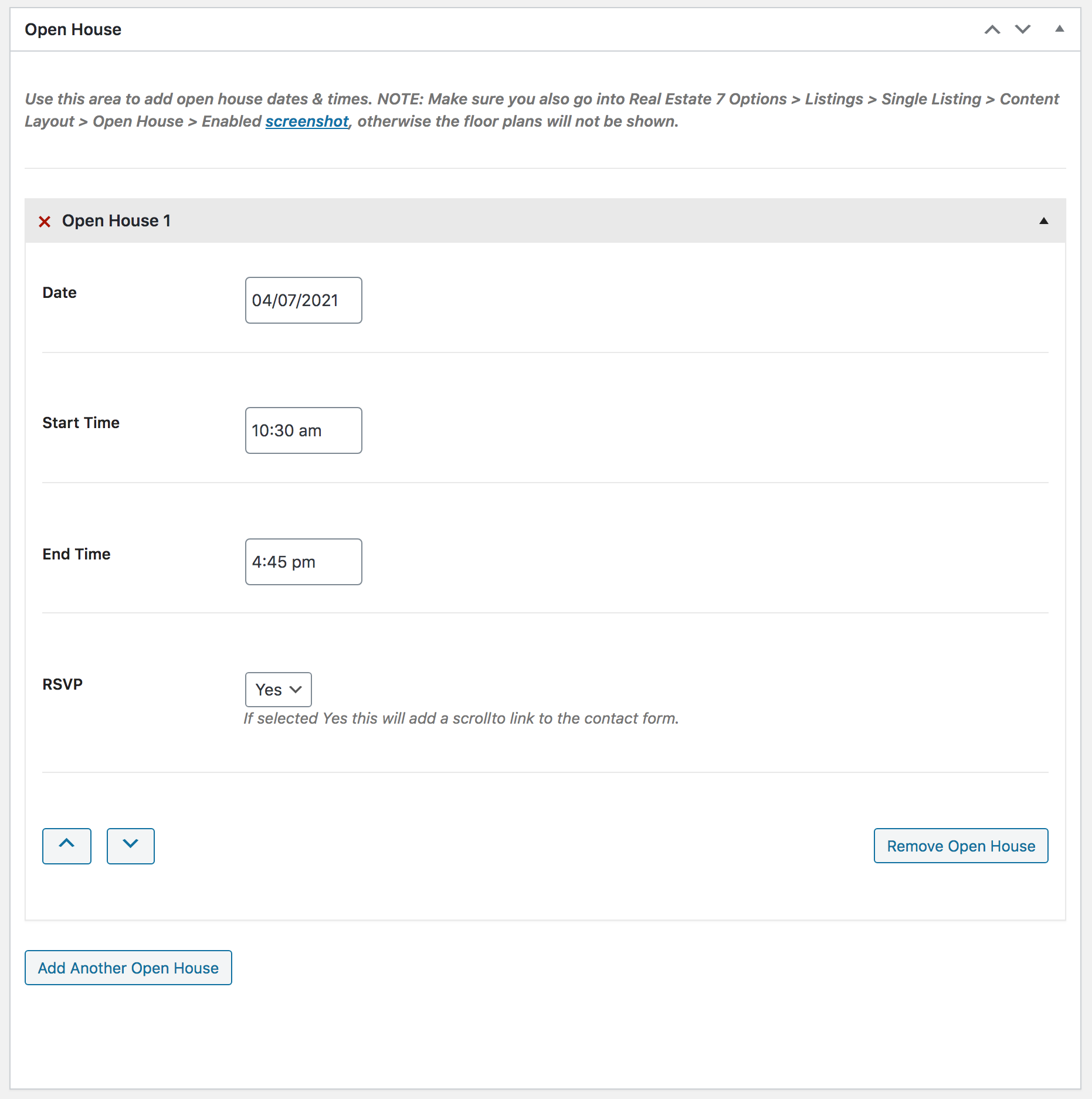
2. Adding the “Open House” Content
- Go into Listings
- Add New or Edit an Existing One
- Scroll to “Open Houses”
- Add your content
- Update
3. You’re all set