You can apply a custom template to any page with a couple of clicks.
- Open a page or create one
- Title it, add your content, configure header image, subtitle, etc&hellips;
- Find Page Attributes > Template
- Select one
- Publish or Update!
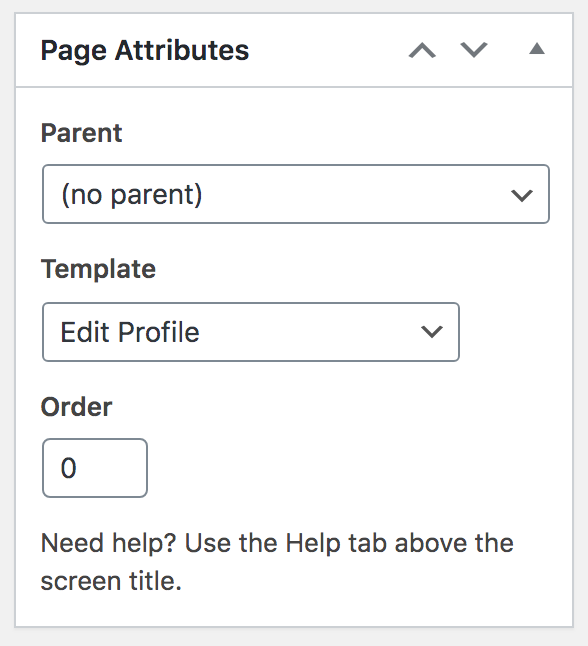
Available Templates
- Agents
- Big Map
- Brokerages
- Compare
- Contact
- Contact No Form
- Edit Listing
- Edit Profile
- Favorite Listings
- Full Width
- Full Width Two
- Home
- Landing
- Left Sidebar
- Listing Analytics
- Listing Email Alerts
- Membership (retired)
- Open Houses
- Packages Thank You (retired)
- Sitemap
- Submit Listing
- Testimonials
- User Dashboard
- View Invoices (retired)
- View Listings “My Listings”